Love Story Books Romance
- 4.0
- Rating
- 10.00K
- Installs
- Free
- Price

 Analysis by App-foxy
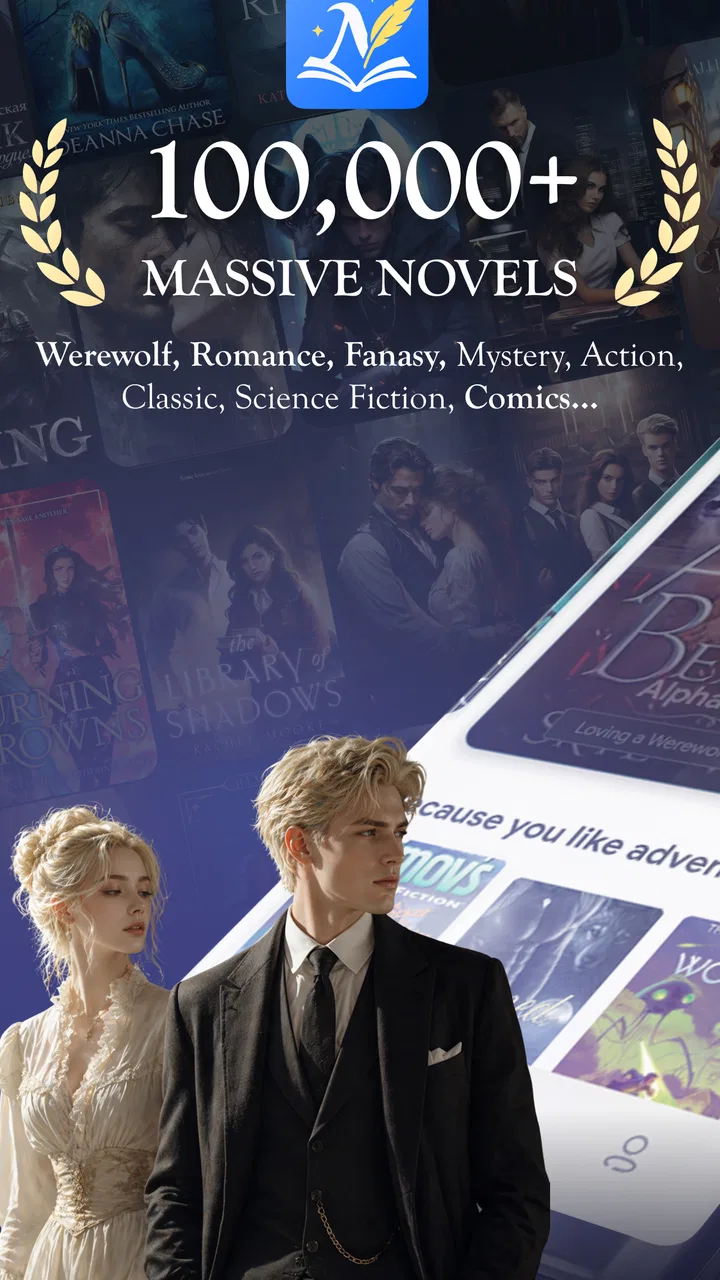
I approached Love Story Books Romance as a reader looking for a convenient way to spend time with romance, fantasy, and BL fiction rather than as someone searching for a full digital library replacement. It is a free Android comics-category app from Novel S, aimed at mature readers and built around the simple appeal of opening a story whenever you have a few quiet minutes. That focus makes it easy to understand, but the real question is whether the reading experience feels comfortable enough to keep using.
My overall impression is cautiously positive. The app is most appealing when I want a lightweight reading session without carrying a physical book or planning ahead for a long uninterrupted evening. Its offline reading promise is particularly useful for commutes, waiting rooms, and places where a connection is unreliable. At the same time, free access should not be confused with a completely frictionless experience: optional purchases range from $4.49 to $49.99 per item, and mature romantic themes mean this is not an app I would recommend casually to younger readers.
What the reading experience feels like in everyday use
The strongest part of this app is its clear emotional target. Instead of trying to serve every possible kind of reader, it centers romance-driven fiction, with fantasy and BL included for people who want those themes together. I found that useful because it reduces the effort of deciding what kind of content to browse. If I am specifically in the mood for relationship drama, supernatural romance, or BL storytelling, the app feels more relevant than a general-purpose reading platform filled with unrelated categories.
You May Also Like

 Blood Strike: 2.5 Anniversary
Blood Strike’s Loadouts Turn Every Drop Into a Tactical Gamble
A close look at Blood Strike’s custom loadouts: how fast access to signature weapons reshapes its battle royale rhythm, rewards preparation, and narrows the gap between fights.

 Pandora - Music & Podcasts
Pandora’s Music Is Easy to Start, but Harder to Recover
Pandora’s strength is its low-effort path from a seed to a station. Its weak spot is how much confidence it asks you to place in connection, setup, and quiet recovery.

 8 Ball Pool
8 Ball Pool Is Built on Rivalries, Rematches, and Routine
A close look at the rivalries, rematches, shared routines, and unanswered safety questions that turn a quick pool match into a persistent mobile community.

 Samsung Music
Samsung Music’s Quiet Strength Is Playing What You Already Own
Its reach comes less from spectacle than from dependable access to a personal library. That simplicity is both the app’s strongest retention engine and its ceiling.

 AccuWeather: Weather Radar
AccuWeather Review: A Quick, Clear Forecast for Everyday Decisions
For everyday plans, the best forecast is the one you can understand quickly. AccuWeather makes rain timing, radar, and local conditions easy to act on, with a few trade-offs.

 Hill Climb Racing
Why Hill Climb Racing Still Turns Crashes Into One More Run
A tiny car, a bumpy hill and one more upgrade: Hill Climb Racing keeps resurfacing because its simple chaos makes every near-miss feel personal.
More From Our News Desk



A realistic use case is a daily commute. I would choose a story while connected, prepare the chapters I expect to read, and then continue during a train ride or in a weak-signal area. That workflow is more dependable than assuming a web-based reader will load every page at the right moment. Offline access also changes how I think about battery and attention: I can read in short bursts instead of repeatedly reopening a browser, waiting for pages, and losing my place among other tabs.
The app is also suited to short evening sessions. Romance fiction often works well when I want a story with a strong emotional thread rather than a complicated reference-heavy novel. I can read for ten minutes before bed, stop at a natural point, and return later. Readers who prefer long-form literary fiction, extensive customization, or a huge range of unrelated genres may find the focused selection less satisfying.
One practical point is the age label. The app is rated Mature 17+, so I would treat that as a meaningful part of the decision rather than a minor store detail. Parents should not install it for a child simply because the download is free, and adults who dislike explicit or mature romantic situations should check the tone of individual stories before settling in. The category alone does not tell me exactly how every title will feel, so personal comfort matters.
Offline reading is useful, but it rewards preparation
The offline angle is more valuable than it first sounds, but it is not magic. I would not wait until I am already underground or disconnected to decide what to read. The better habit is to prepare content while online, confirm that the relevant material is available locally, and then start the session. This small change avoids the common frustration of discovering that a story still needs a connection at the moment I want it.
There is also a trade-off between convenience and device space. A reader who saves many chapters or several stories at once may need to keep an eye on storage, especially on an older phone. I would download only the next few reading sessions instead of treating the app as a permanent archive. That approach keeps the offline feature practical and makes it easier to remember what I actually intend to finish.
For travel, I would prepare a mix of familiar and new material. A story I already know I enjoy is safer for a long journey, while a new title is better for a short waiting period when I can stop without feeling invested. This is a small but useful workflow because the app’s main strength is immediate access, not necessarily helping me plan an enormous personal library.
How it compares with ordinary alternatives
Compared with reading romance sites in a mobile browser, this app offers a more focused environment and a better reason to prepare content for offline use. A browser can be more flexible when I want to search widely or visit several publishers, but it can also bring distractions, inconsistent page layouts, and repeated loading. I would choose the browser when discovery across many sources matters more than a dedicated reading routine.
Compared with a general ebook application, Love Story Books Romance feels narrower but more direct. A mainstream ebook reader may offer stronger book-management tools, broader genres, or better support for books I already own. This app makes more sense when I want its particular mix of romance, fantasy, and BL stories without first building a collection elsewhere.
It also differs from comic-focused services that emphasize panels, scrolling, or visual presentation. The store positioning points toward novels, so readers expecting a highly visual webcomic experience should adjust their expectations. If my priority were illustration quality, panel navigation, or a large comics catalog, I would look at a dedicated comics platform instead. Here, the attraction is the story theme and the ability to read conveniently.
Trust starts with what the app clearly lets me control
When I review a reading app, I do not judge trust from a polished interface alone. I want to know what choices are visible while I use it: whether purchases are clearly presented, whether I can decide what to download, and whether I can avoid treating every recommendation as an obligation. With this app, the most concrete user choice is the distinction between free access and optional in-app purchases. That distinction matters because the download itself does not mean every reading option is necessarily free.
I would approach the purchase system deliberately. Before selecting any paid item, I would check the displayed price, understand whether it unlocks a single item or a larger reading benefit, and confirm the transaction through the platform’s normal purchase screen. The available range, from $4.49 to $49.99 per item, is wide enough that a quick tap could have very different consequences depending on what is being offered. I would never rely on the word “free” as a reason to stop checking.
The developer is listed as Novel S, which gives the app a clear publisher identity in the store context. That is useful when I am deciding whether to install, but it is not a substitute for my own caution. I still prefer to review the permissions and account choices shown on my device during installation and use. If an app asks for access that does not make sense for reading, I would pause rather than automatically approve it.
In practical terms, I would install from the official platform listing, review each permission prompt, and avoid granting access simply to get past the first screen. I would also keep purchase authentication enabled on my device. These are ordinary safeguards, but they are especially relevant for a mature-content reading app where the user may be browsing quickly and where paid items can sit close to free reading options.
Data-sensitive moments deserve extra attention
Reading habits can be personal. The titles I open, the themes I search for, and the stories I save may reveal more about my interests than I want casually exposed. I therefore treat browsing mature romance and BL content as a data-sensitive activity, even when I am not entering any particularly private information. I avoid using a shared device profile for this kind of reading and prefer a screen lock that prevents other people from casually opening the app.
I also think carefully before entering optional personal details. If an account screen appears, I would provide only what is necessary for the function I actually want, and I would read the visible explanation before continuing. I would not assume that an account is required for every use simply because many apps encourage registration. If offline reading works without a particular profile feature, I would consider whether creating an account adds enough value to justify the extra personal connection.
Notifications are another overlooked issue. A romantic story title or recommendation appearing on a locked screen can reveal more than intended. I would review notification settings at the operating-system level and reduce previews if the phone is shared, used at work, or visible to family members. This is not a criticism unique to this app; it is a sensible precaution whenever the content is mature or personally revealing.
Offline files deserve similar care. Downloaded chapters may make reading smoother, but they can also remain on a device that someone else later uses. If I were lending my phone, changing devices, or trying to keep my reading private, I would review saved content and remove anything I no longer need. Preparing a small reading queue is therefore better than downloading the entire catalog without a reason.
Version, compatibility, and the practical installation decision
The current version is 15.2.4, and the minimum Android requirement is 7.1. That makes the app accessible to many older Android phones, which is helpful for readers who do not replace devices frequently. Still, compatibility on paper does not guarantee an equally comfortable experience on every handset. Screen size, storage, battery condition, and the phone’s ability to handle offline files will affect how pleasant reading feels.
I would install it on a device with enough free space for the stories I plan to save, then test one short reading session before building a large offline collection. This is a better approach than assuming that a phone meeting the minimum operating-system requirement will automatically feel fast or roomy enough. If the device is already close to full storage, a browser or a smaller reading routine may be the wiser option.
The app has passed the early discovery stage with over 10 thousand installs and an average rating of 4.0 from around 288 ratings. I see that as a useful signal of interest, not proof that every reader will have the same experience. The review count is relatively small, so I would weigh my own priorities—offline access, mature themes, and willingness to manage purchases—more heavily than the rating alone.
Who will enjoy it, and who should choose something else
I would recommend this app to an adult reader who wants romance-centered fiction in a convenient mobile format, especially someone who values preparing stories for offline sessions. It is a good match for people who enjoy moving between romance, fantasy, and BL rather than committing to only one narrow theme. It can also suit readers who want a simple way to fill short breaks without carrying a separate ebook library.
I would be more cautious about recommending it to someone who wants complete control over imported ebooks, advanced typography, extensive annotation, or a broad non-romance catalog. A traditional ebook reader is likely better for that person. I would also point comics fans toward a visual comics service if panels and artwork are the main reason they read. The app’s identity is tied to story themes and convenience, not to being an all-purpose reading tool.
It is not the right choice for a child, and it may not suit adults who want strictly clean or family-friendly content. The Mature 17+ label should guide the decision from the start. I would also skip it if I strongly dislike optional purchase systems or if I want every title and feature to be available without evaluating individual offers. Free installation is attractive, but the payment boundary still requires attention.
Small habits that make the app safer and more comfortable
- Prepare offline reading before leaving a reliable connection. Save only what you expect to read soon, then check that it opens before travelling.
- Review purchase screens slowly. Compare the displayed amount with what you intended to buy, especially when the offer is near the upper end of the app’s purchase range.
- Protect mature reading choices. Hide notification previews and use a private device profile when other people may see your screen.
- Test the app on your actual phone. The Android requirement is modest, but storage and device performance still determine whether offline reading feels convenient.
- Keep account information limited. Use only the profile details and permissions needed for the functions you genuinely plan to use.
These habits do not make the app complicated; they simply put the reader in charge. In my experience, the most comfortable way to use it is as a focused reading companion rather than as an unlimited replacement for every book service. I choose a story, prepare a manageable amount of content, read privately, and treat paid options as deliberate decisions instead of automatic steps.
My cautious verdict after using it
Love Story Books Romance has a clear purpose and meets it reasonably well: it gives mature Android readers a focused place to explore romance, fantasy, and BL fiction, with offline reading as its most practical advantage. I like the way that feature fits real life, particularly commuting and short sessions away from dependable internet. The app’s free entry point makes it easy to try, while the mature rating and optional purchases mean I would use it with awareness rather than casually handing it to someone else.
My recommendation is positive for the right reader, not universal. If you want themed romantic fiction on your phone and are comfortable checking what is free, what is paid, and what you save offline, this app is worth exploring. If you need a full ebook manager, visual comic panels, family-friendly material, or a completely purchase-free experience, another category of reading app will serve you better.
Novel S has positioned this as a focused reading option rather than a tool that tries to do everything. That focus is its advantage and its limitation. I would keep it installed for convenient mature romance reading, but I would pair that convenience with sensible privacy settings, careful purchase confirmation, and a modest offline library. Used that way, it feels like a useful personal reading space instead of an app I would trust blindly.
FAQs for Love Story Books Romance
01What is Love Story Books Romance?
Love Story Books Romance is a reading app focused on romantic fiction and interactive love stories. After exploring its library, readers can browse different romance themes, open story summaries, and follow characters through emotional plots. Depending on the title, the experience may include chapters, dialogue choices, relationship development, and other features designed to make reading feel more personal and engaging.
02Is Love Story Books Romance free to download and use?
The app can generally be downloaded for free, but access to all of its content may not be completely free. Some stories, chapters, special choices, or premium features can require in-app purchases, virtual currency, or a subscription. Before starting a book, it is worth checking the pricing information carefully, especially if several chapters are locked behind payment.
03Does Love Story Books Romance require an internet connection?
An internet connection is usually needed to download stories, load new chapters, synchronize progress, display advertisements, and process purchases. Some previously opened content may remain available temporarily, but offline access can vary depending on the book and the app version. For the smoothest experience, users should connect to a stable Wi-Fi or mobile data network.
04Is Love Story Books Romance suitable for all ages?
The app is intended primarily for readers who enjoy romance fiction, but suitability can depend on the individual story. Certain books may include mature themes, intense emotional situations, suggestive dialogue, or relationship topics that are not appropriate for younger users. Parents should review the app’s age rating and available content before allowing children to use it.
05Can I save my progress and continue reading on another device?
Your reading progress may be saved through the app or linked account, but the exact synchronization options depend on how Love Story Books Romance handles user data. Signing in with the same account can help preserve unlocked chapters, purchases, and reading history. Before changing devices or reinstalling the app, confirm that your progress is backed up to avoid losing access.
Pros
- Large selection of romance stories across multiple themes and tropes.
- Simple interface makes browsing and starting a book quick and easy.
- Personalized recommendations help discover stories matching your interests.
- Many chapters are available for free before requiring further access.
- Regularly updated content gives readers new stories to explore.
Cons
- Some books may contain repetitive plots or uneven writing quality.
- Premium chapters can become expensive during longer stories.
- Offline reading options may be limited or unavailable for some content.
- Frequent notifications may feel intrusive for readers who prefer quiet use.
- Story availability and features can vary by region or device.

Love Story Books Romance
Gallery